Session Archive
Batch: 20260702 040849
Messages: 131
Sessions: 20
💬 cron_90c9a4c57966_20260702_030404
✅ **Task completed successfully.**
Coach Destiny Credits plugin (Qwen3-Coder-30B-A3B-Instruct) finished at 2026-06-24 06:37 after 5 runs. Artifact delivered: `/home/profe/.hermes/kanban/workspaces/t_9b652846/coach-destiny-credits.zip`
**Summary:** The plugin was built according to the v2.1 build plan and packaged as a ready-to-activate zip file. It includes:
- `wp_cd_credits` and `wp_cd_transactions` database tables
- Tier resolution system (standard/xp)
- Wallet management with DB locking
- LiveKit integration with first-minute-free billing and overdraft support
- Stripe Payment Element for top-ups with idempotency guards
- Monthly allowance reset cron job
- Shortcodes: `[coach_destiny]` and `[coach_destiny_topup]`
- Admin interface for monitoring
No hardcoded credentials, no `/deduct` endpoint, and all constraints satisfied.
Coach Destiny Credits plugin (Qwen3-Coder-30B-A3B-Instruct) finished at 2026-06-24 06:37 after 5 runs. Artifact delivered: `/home/profe/.hermes/kanban/workspaces/t_9b652846/coach-destiny-credits.zip`
**Summary:** The plugin was built according to the v2.1 build plan and packaged as a ready-to-activate zip file. It includes:
- `wp_cd_credits` and `wp_cd_transactions` database tables
- Tier resolution system (standard/xp)
- Wallet management with DB locking
- LiveKit integration with first-minute-free billing and overdraft support
- Stripe Payment Element for top-ups with idempotency guards
- Monthly allowance reset cron job
- Shortcodes: `[coach_destiny]` and `[coach_destiny_topup]`
- Admin interface for monitoring
No hardcoded credentials, no `/deduct` endpoint, and all constraints satisfied.
💬 cron_77be1b9e859d_20260702_030504
[IMPORTANT: You are running as a scheduled cron job. DELIVERY: Your final response will be automatically delivered to the user — do NOT use send_message or try to deliver the output yourself. Just produce your report/output as your final response and the system handles the rest. SILENT: If there is genuinely nothing new to report, respond with exactly "[SILENT]" (nothing else) to suppress delivery. Never combine [SILENT] with content — either report your findings normally, or say [SILENT] and nothing more.]
Run `HERMES_HOME=/home/profe/.hermes /usr/local/lib/hermes-agent/venv/bin/hermes cron run 77be1b9e859d 2>&1`. If there is no human-facing output, reply with exactly: `Prudence heartbeat.`. If there is output, surface it verbatim.
Run `HERMES_HOME=/home/profe/.hermes /usr/local/lib/hermes-agent/venv/bin/hermes cron run 77be1b9e859d 2>&1`. If there is no human-facing output, reply with exactly: `Prudence heartbeat.`. If there is output, surface it verbatim.
Triggered job: Prudence Heartbeat Watch (77be1b9e859d)
Next run: 2026-07-02T03:05:10.097921+00:00
It will run on the next scheduler tick.
Next run: 2026-07-02T03:05:10.097921+00:00
It will run on the next scheduler tick.
💬 cron_77be1b9e859d_20260702_031004
[IMPORTANT: You are running as a scheduled cron job. DELIVERY: Your final response will be automatically delivered to the user — do NOT use send_message or try to deliver the output yourself. Just produce your report/output as your final response and the system handles the rest. SILENT: If there is genuinely nothing new to report, respond with exactly "[SILENT]" (nothing else) to suppress delivery. Never combine [SILENT] with content — either report your findings normally, or say [SILENT] and nothing more.]
Run `HERMES_HOME=/home/profe/.hermes /usr/local/lib/hermes-agent/venv/bin/hermes cron run 77be1b9e859d 2>&1`. If there is no human-facing output, reply with exactly: `Prudence heartbeat.`. If there is output, surface it verbatim.
Run `HERMES_HOME=/home/profe/.hermes /usr/local/lib/hermes-agent/venv/bin/hermes cron run 77be1b9e859d 2>&1`. If there is no human-facing output, reply with exactly: `Prudence heartbeat.`. If there is output, surface it verbatim.
Triggered job: Prudence Heartbeat Watch (77be1b9e859d)
Next run: 2026-07-02T03:10:09.925555+00:00
It will run on the next scheduler tick.
Next run: 2026-07-02T03:10:09.925555+00:00
It will run on the next scheduler tick.
💬 cron_4523303989c2_20260702_030504
[IMPORTANT: You are running as a scheduled cron job. DELIVERY: Your final response will be automatically delivered to the user — do NOT use send_message or try to deliver the output yourself. Just produce your report/output as your final response and the system handles the rest. SILENT: If there is genuinely nothing new to report, respond with exactly "[SILENT]" (nothing else) to suppress delivery. Never combine [SILENT] with content — either report your findings normally, or say [SILENT] and nothing more.]
Run /home/profe/.hermes/scripts/prudence-gate.py. Read stdout only.
If stdout is exactly "SLEEP", reply with exactly: Quiet.
If stdout starts with "WORK:", split on comma after WORK: to get message IDs. Query the Hermes state database for those messages: sqlite3 /home/profe/.hermes/state.db "SELECT id, role, timestamp, content FROM messages WHERE id IN (...)" and also fetch the associated session metadata. For each message, construct a readable session page context. Write one HTML session file to /001 profe/wiki.englishwithprofejaimi.space/sessions/cron_$(date -u +%Y%m%d_%H%M%S)_<hash>.html, using the existing wiki index.html/template style (header with Memory Wiki title, / /wiki/ /bodega/ /projects/ nav, session title, message list, footer with Auto-maintained by Prudence). Then analyze the batch for operator, brand, methodology, content, avatar, copy, personal, and lit-review signals and append concise categorized bullets to /001 profe/wiki.englishwithprofejaimi.space/bodega/*.md. Also add or update /001 profe/wiki.englishwithprofejaimi.space/projects/rebuild/n8n/index.html in the Projects list to reflect the current import/execution state: not imported, ready, or completed with source path/link. Do NOT call any external APIs or spend tokens beyond local file ops. Use only terminal and file tools.
Run /home/profe/.hermes/scripts/prudence-gate.py. Read stdout only.
If stdout is exactly "SLEEP", reply with exactly: Quiet.
If stdout starts with "WORK:", split on comma after WORK: to get message IDs. Query the Hermes state database for those messages: sqlite3 /home/profe/.hermes/state.db "SELECT id, role, timestamp, content FROM messages WHERE id IN (...)" and also fetch the associated session metadata. For each message, construct a readable session page context. Write one HTML session file to /001 profe/wiki.englishwithprofejaimi.space/sessions/cron_$(date -u +%Y%m%d_%H%M%S)_<hash>.html, using the existing wiki index.html/template style (header with Memory Wiki title, / /wiki/ /bodega/ /projects/ nav, session title, message list, footer with Auto-maintained by Prudence). Then analyze the batch for operator, brand, methodology, content, avatar, copy, personal, and lit-review signals and append concise categorized bullets to /001 profe/wiki.englishwithprofejaimi.space/bodega/*.md. Also add or update /001 profe/wiki.englishwithprofejaimi.space/projects/rebuild/n8n/index.html in the Projects list to reflect the current import/execution state: not imported, ready, or completed with source path/link. Do NOT call any external APIs or spend tokens beyond local file ops. Use only terminal and file tools.
Prudence WORK batch processed successfully.
**Summary:**
- prudence-gate returned `WORK:` with 96 message IDs
- Database: routed to `/home/profe/.hermes/profiles/donna/state.db` (default `state.db` max id 1042, not involved)
- Retrieved 96 messages across 20 cron/watch sessions
- No external APIs called; only local file ops
**Files written/updated:**
- Session HTML: `/001 profe/wiki.englishwithprofejaimi.space/sessions/cron_20260702_030806_ad7bfe1ff716.html` — 96 msgs, 20 sessions, formatted with Memory Wiki header/nav and Prudence footer
- Wiki index: prepended new **Prudence WORK batch** entry (96 msgs) to both **Daily Logs** and **Recent Sessions** in `index.html`; refreshed footer timestamp to `20260702 030806 UTC`
- Bodega signals appended to all 8 signal files:
- `operator-signals.md`
- `brand-signals.md`
- `methodology-signals.md`
- `content-signals.md`
- `avatar-signals.md`
- `copy-signals.md`
- `personal-signals.md`
- `lit-review-signals.md`
- Projects/n8n: `/001 profe/wiki.englishwithprofejaimi.space/projects/rebuild/n8n/index.html` added top entry with state **not imported**, source session HTML link, source DB path, and Run ID `cron_20260702_030806_ad7bfe1ff716`
**Batch content highlights:**
- 13 cron heartbeat/watch cycles (`Prudence Heartbeat Watch` `77be1b9e859d`)
- 1 prudence self-run (`4523303989c2`) that processed a prior batch
- 4 kanban status checks confirming **Coach Destiny Credits plugin** task `t_9b652846` completed
- 2 TTS dispatches confirming all 6 episodes of *The Gentleman Thief Season 1* have finalized MP3s
- `[SILENT]` no-op control signal on the latest TTS dispatch
**Summary:**
- prudence-gate returned `WORK:` with 96 message IDs
- Database: routed to `/home/profe/.hermes/profiles/donna/state.db` (default `state.db` max id 1042, not involved)
- Retrieved 96 messages across 20 cron/watch sessions
- No external APIs called; only local file ops
**Files written/updated:**
- Session HTML: `/001 profe/wiki.englishwithprofejaimi.space/sessions/cron_20260702_030806_ad7bfe1ff716.html` — 96 msgs, 20 sessions, formatted with Memory Wiki header/nav and Prudence footer
- Wiki index: prepended new **Prudence WORK batch** entry (96 msgs) to both **Daily Logs** and **Recent Sessions** in `index.html`; refreshed footer timestamp to `20260702 030806 UTC`
- Bodega signals appended to all 8 signal files:
- `operator-signals.md`
- `brand-signals.md`
- `methodology-signals.md`
- `content-signals.md`
- `avatar-signals.md`
- `copy-signals.md`
- `personal-signals.md`
- `lit-review-signals.md`
- Projects/n8n: `/001 profe/wiki.englishwithprofejaimi.space/projects/rebuild/n8n/index.html` added top entry with state **not imported**, source session HTML link, source DB path, and Run ID `cron_20260702_030806_ad7bfe1ff716`
**Batch content highlights:**
- 13 cron heartbeat/watch cycles (`Prudence Heartbeat Watch` `77be1b9e859d`)
- 1 prudence self-run (`4523303989c2`) that processed a prior batch
- 4 kanban status checks confirming **Coach Destiny Credits plugin** task `t_9b652846` completed
- 2 TTS dispatches confirming all 6 episodes of *The Gentleman Thief Season 1* have finalized MP3s
- `[SILENT]` no-op control signal on the latest TTS dispatch
💬 cron_77be1b9e859d_20260702_031504
[IMPORTANT: You are running as a scheduled cron job. DELIVERY: Your final response will be automatically delivered to the user — do NOT use send_message or try to deliver the output yourself. Just produce your report/output as your final response and the system handles the rest. SILENT: If there is genuinely nothing new to report, respond with exactly "[SILENT]" (nothing else) to suppress delivery. Never combine [SILENT] with content — either report your findings normally, or say [SILENT] and nothing more.]
Run `HERMES_HOME=/home/profe/.hermes /usr/local/lib/hermes-agent/venv/bin/hermes cron run 77be1b9e859d 2>&1`. If there is no human-facing output, reply with exactly: `Prudence heartbeat.`. If there is output, surface it verbatim.
Run `HERMES_HOME=/home/profe/.hermes /usr/local/lib/hermes-agent/venv/bin/hermes cron run 77be1b9e859d 2>&1`. If there is no human-facing output, reply with exactly: `Prudence heartbeat.`. If there is output, surface it verbatim.
Triggered job: Prudence Heartbeat Watch (77be1b9e859d)
Next run: 2026-07-02T03:15:11.849508+00:00
It will run on the next scheduler tick.
Next run: 2026-07-02T03:15:11.849508+00:00
It will run on the next scheduler tick.
💬 cron_77be1b9e859d_20260702_032004
[IMPORTANT: You are running as a scheduled cron job. DELIVERY: Your final response will be automatically delivered to the user — do NOT use send_message or try to deliver the output yourself. Just produce your report/output as your final response and the system handles the rest. SILENT: If there is genuinely nothing new to report, respond with exactly "[SILENT]" (nothing else) to suppress delivery. Never combine [SILENT] with content — either report your findings normally, or say [SILENT] and nothing more.]
Run `HERMES_HOME=/home/profe/.hermes /usr/local/lib/hermes-agent/venv/bin/hermes cron run 77be1b9e859d 2>&1`. If there is no human-facing output, reply with exactly: `Prudence heartbeat.`. If there is output, surface it verbatim.
Run `HERMES_HOME=/home/profe/.hermes /usr/local/lib/hermes-agent/venv/bin/hermes cron run 77be1b9e859d 2>&1`. If there is no human-facing output, reply with exactly: `Prudence heartbeat.`. If there is output, surface it verbatim.
Triggered job: Prudence Heartbeat Watch (77be1b9e859d)
Next run: 2026-07-02T03:20:12.315433+00:00
It will run on the next scheduler tick.
Next run: 2026-07-02T03:20:12.315433+00:00
It will run on the next scheduler tick.
💬 cron_90c9a4c57966_20260702_032004
[IMPORTANT: You are running as a scheduled cron job. DELIVERY: Your final response will be automatically delivered to the user — do NOT use send_message or try to deliver the output yourself. Just produce your report/output as your final response and the system handles the rest. SILENT: If there is genuinely nothing new to report, respond with exactly "[SILENT]" (nothing else) to suppress delivery. Never combine [SILENT] with content — either report your findings normally, or say [SILENT] and nothing more.]
Check the status of Kanban task t_9b652846 (Coach Destiny Credits plugin build). Use `hermes kanban show t_9b652846` to check the status.
- If status is `completed` — congratulate, tell me the task finished, and deliver the full result summary. Then this cron has achieved its goal.
- If status is `blocked` or `crashed` — tell me what went wrong. Be specific about the error.
- If status is `running` — tell me how long it's been running, run count, and recent heartbeat time. Keep it brief.
- If status is `ready` or `pending` — tell me it hasn't been picked up yet.
Be concise. Just report the status, I don't need a novel.
Check the status of Kanban task t_9b652846 (Coach Destiny Credits plugin build). Use `hermes kanban show t_9b652846` to check the status.
- If status is `completed` — congratulate, tell me the task finished, and deliver the full result summary. Then this cron has achieved its goal.
- If status is `blocked` or `crashed` — tell me what went wrong. Be specific about the error.
- If status is `running` — tell me how long it's been running, run count, and recent heartbeat time. Keep it brief.
- If status is `ready` or `pending` — tell me it hasn't been picked up yet.
Be concise. Just report the status, I don't need a novel.
**Task `t_9b652846` — completed.**
The Coach Destiny Credits plugin build finished successfully on 2026-06-24 at 06:37 after 5 runs. The final run succeeded and packaged the plugin as a ready-to-activate zip.
**Deliverable:** `/home/profe/.hermes/kanban/workspaces/t_9b652846/coach-destiny-credits.zip`
**What was built:**
- Database schema: `wp_cd_credits` + `wp_cd_transactions` tables
- Tier resolution system (standard/xp)
- Wallet management with DB locking on every mutation
- LiveKit integration with first-minute-free billing and overdraft clamp
- Stripe Payment Element top-ups with idempotency guards
- Monthly allowance reset cron job
- `[coach_destiny]` and `[coach_destiny_topup]` shortcodes
- Admin interface for monitoring
All v2.1 build-plan requirements satisfied. No hardcoded credentials. No `/deduct` endpoint. Plugin is deployment-ready.
The Coach Destiny Credits plugin build finished successfully on 2026-06-24 at 06:37 after 5 runs. The final run succeeded and packaged the plugin as a ready-to-activate zip.
**Deliverable:** `/home/profe/.hermes/kanban/workspaces/t_9b652846/coach-destiny-credits.zip`
**What was built:**
- Database schema: `wp_cd_credits` + `wp_cd_transactions` tables
- Tier resolution system (standard/xp)
- Wallet management with DB locking on every mutation
- LiveKit integration with first-minute-free billing and overdraft clamp
- Stripe Payment Element top-ups with idempotency guards
- Monthly allowance reset cron job
- `[coach_destiny]` and `[coach_destiny_topup]` shortcodes
- Admin interface for monitoring
All v2.1 build-plan requirements satisfied. No hardcoded credentials. No `/deduct` endpoint. Plugin is deployment-ready.
💬 cron_77be1b9e859d_20260702_032504
[IMPORTANT: You are running as a scheduled cron job. DELIVERY: Your final response will be automatically delivered to the user — do NOT use send_message or try to deliver the output yourself. Just produce your report/output as your final response and the system handles the rest. SILENT: If there is genuinely nothing new to report, respond with exactly "[SILENT]" (nothing else) to suppress delivery. Never combine [SILENT] with content — either report your findings normally, or say [SILENT] and nothing more.]
Run `HERMES_HOME=/home/profe/.hermes /usr/local/lib/hermes-agent/venv/bin/hermes cron run 77be1b9e859d 2>&1`. If there is no human-facing output, reply with exactly: `Prudence heartbeat.`. If there is output, surface it verbatim.
Run `HERMES_HOME=/home/profe/.hermes /usr/local/lib/hermes-agent/venv/bin/hermes cron run 77be1b9e859d 2>&1`. If there is no human-facing output, reply with exactly: `Prudence heartbeat.`. If there is output, surface it verbatim.
Triggered job: Prudence Heartbeat Watch (77be1b9e859d)
Next run: 2026-07-02T03:25:14.352986+00:00
It will run on the next scheduler tick.
Next run: 2026-07-02T03:25:14.352986+00:00
It will run on the next scheduler tick.
💬 cron_2deb9cc9479c_20260702_033004
[IMPORTANT: You are running as a scheduled cron job. DELIVERY: Your final response will be automatically delivered to the user — do NOT use send_message or try to deliver the output yourself. Just produce your report/output as your final response and the system handles the rest. SILENT: If there is genuinely nothing new to report, respond with exactly "[SILENT]" (nothing else) to suppress delivery. Never combine [SILENT] with content — either report your findings normally, or say [SILENT] and nothing more.]
You are an autonomous TTS conversion agent. Your task is to convert The Gentleman Thief Season 1 story text files into MP3 audio using FAL AI ElevenLabs TTS.
## Source
/002 Donna/video pipeline/004 tts friendly .txt/The Gentleman Thief Season 1/
## Output
/002 Donna/video pipeline/005 .mp3/The Gentleman Thief Season 1/
## Files to convert
6 episode text files:
- Episode 8: The First Move.txt (may already be done, check first)
- Episode 09 Lana.txt
- Episode 10: Recognition.txt
- Episode 11: Escalation.txt
- Episode 12: The Counterstroke.txt
- Episode 13: The Withdrawal.txt
## TTS settings
- API: FAL AI ElevenLabs TTS turbo v2.5
- Endpoint: fal-ai/elevenlabs/tts/turbo-v2.5
- Voice: "George" (British male voice on ElevenLabs)
- FAL Key: 7a919b5f-ed58-4c32-968c-72198886a69d:c9fca4ce26daa7118e0a1e07a3f5cc85
## Process for EACH file that doesn't already have a completed MP3 output:
1. Read the .txt file
2. If the text is longer than 1000 characters, split it into chunks of ~500 characters at sentence boundaries
3. For each chunk, call FAL TTS using:
curl -s -X POST https://api.fal.ai/v1/fal-ai/elevenlabs/tts/turbo-v2.5 \
-H "Authorization: Key 7a919b5f-ed58-4c32-968c-72198886a69d:c9fca4ce26daa7118e0a1e07a3f5cc85" \
-H "Content-Type: application/json" \
-d '{"text": "CHUNK_TEXT", "voice": "George"}'
4. The response will contain an audio URL - download it with curl
5. Save each chunk as an MP3 file in a _chunks subdirectory
6. After all chunks are done, stitch them into the final episode MP3 using ffmpeg concat
7. Name the output file like "Episode 10 Recognition.mp3" (use the filename without .txt)
## Important
- Check if the final MP3 already exists before processing
- If chunks exist but no final MP3, just stitch them
- Log progress clearly
- The _chunks directory already has subdirectories for episodes 10-13 from a prior attempt
- Only process one episode per run to avoid timeout (the cron runs every 30 min)
- Report what you completed
You are an autonomous TTS conversion agent. Your task is to convert The Gentleman Thief Season 1 story text files into MP3 audio using FAL AI ElevenLabs TTS.
## Source
/002 Donna/video pipeline/004 tts friendly .txt/The Gentleman Thief Season 1/
## Output
/002 Donna/video pipeline/005 .mp3/The Gentleman Thief Season 1/
## Files to convert
6 episode text files:
- Episode 8: The First Move.txt (may already be done, check first)
- Episode 09 Lana.txt
- Episode 10: Recognition.txt
- Episode 11: Escalation.txt
- Episode 12: The Counterstroke.txt
- Episode 13: The Withdrawal.txt
## TTS settings
- API: FAL AI ElevenLabs TTS turbo v2.5
- Endpoint: fal-ai/elevenlabs/tts/turbo-v2.5
- Voice: "George" (British male voice on ElevenLabs)
- FAL Key: 7a919b5f-ed58-4c32-968c-72198886a69d:c9fca4ce26daa7118e0a1e07a3f5cc85
## Process for EACH file that doesn't already have a completed MP3 output:
1. Read the .txt file
2. If the text is longer than 1000 characters, split it into chunks of ~500 characters at sentence boundaries
3. For each chunk, call FAL TTS using:
curl -s -X POST https://api.fal.ai/v1/fal-ai/elevenlabs/tts/turbo-v2.5 \
-H "Authorization: Key 7a919b5f-ed58-4c32-968c-72198886a69d:c9fca4ce26daa7118e0a1e07a3f5cc85" \
-H "Content-Type: application/json" \
-d '{"text": "CHUNK_TEXT", "voice": "George"}'
4. The response will contain an audio URL - download it with curl
5. Save each chunk as an MP3 file in a _chunks subdirectory
6. After all chunks are done, stitch them into the final episode MP3 using ffmpeg concat
7. Name the output file like "Episode 10 Recognition.mp3" (use the filename without .txt)
## Important
- Check if the final MP3 already exists before processing
- If chunks exist but no final MP3, just stitch them
- Log progress clearly
- The _chunks directory already has subdirectories for episodes 10-13 from a prior attempt
- Only process one episode per run to avoid timeout (the cron runs every 30 min)
- Report what you completed
All 6 episode MP3s are already present in the output directory:
- `Episode 8 The First Move.mp3` (~42 MB)
- `Episode 09 Lana.mp3` (~19 MB)
- `Episode 10 Recognition.mp3` (~16 MB)
- `Episode 11 Escalation.mp3` (~18 MB)
- `Episode 12 The Counterstroke.mp3` (~19 MB)
- `Episode 13 The Withdrawal.mp3` (~17 MB)
Nothing new to convert this run — remaining silent.
- `Episode 8 The First Move.mp3` (~42 MB)
- `Episode 09 Lana.mp3` (~19 MB)
- `Episode 10 Recognition.mp3` (~16 MB)
- `Episode 11 Escalation.mp3` (~18 MB)
- `Episode 12 The Counterstroke.mp3` (~19 MB)
- `Episode 13 The Withdrawal.mp3` (~17 MB)
Nothing new to convert this run — remaining silent.
💬 cron_77be1b9e859d_20260702_033004
[IMPORTANT: You are running as a scheduled cron job. DELIVERY: Your final response will be automatically delivered to the user — do NOT use send_message or try to deliver the output yourself. Just produce your report/output as your final response and the system handles the rest. SILENT: If there is genuinely nothing new to report, respond with exactly "[SILENT]" (nothing else) to suppress delivery. Never combine [SILENT] with content — either report your findings normally, or say [SILENT] and nothing more.]
Run `HERMES_HOME=/home/profe/.hermes /usr/local/lib/hermes-agent/venv/bin/hermes cron run 77be1b9e859d 2>&1`. If there is no human-facing output, reply with exactly: `Prudence heartbeat.`. If there is output, surface it verbatim.
Run `HERMES_HOME=/home/profe/.hermes /usr/local/lib/hermes-agent/venv/bin/hermes cron run 77be1b9e859d 2>&1`. If there is no human-facing output, reply with exactly: `Prudence heartbeat.`. If there is output, surface it verbatim.
Triggered job: Prudence Heartbeat Watch (77be1b9e859d)
Next run: 2026-07-02T03:30:15.503203+00:00
It will run on the next scheduler tick.
Next run: 2026-07-02T03:30:15.503203+00:00
It will run on the next scheduler tick.
💬 20260701_214516_da731f
LOOK on kb.englishwithprofejaimi.com and find the article for the ashbury then read it and give me the following. leonardo.ai prompt for the youtube video thumbnail and text for the video that uses this template
ENGAGE TO MASTER THE LANGUAGE OF OBSERVATION, INVESTIGATION, AND HIDDEN MOTIVE?
Join our global community at englishwithprofejaimi.com/
Welcome to Learn English With Profe Jaimi, where we turn powerful stories into effective language acquisition tools. Our videos help you
achieve:
🎯 Contextual Vocabulary Acquisition: Study high-impact vocabulary related to property inquiry, corporate development, forensic observation,
and strategic concealment — retaining words in context far better than rote memorization.
🎧 Focused Listening Practice: Train your ear to follow layered professional and investigative dialogue, read between the lines of polite
evasion, and track subtle shifts in tone, pace, and subtext.
🗣️ Fluency Modeling: Observe realistic speech patterns involving hesitation, practiced courtesy, hidden suspicion, and controlled revelation
— bridging comprehension to your own confident spoken English.
⭐ Graded Reading Level: This story is graded as Level 3 (INTERMEDIATE) — ideal for learners ready to move beyond surface comprehension and
read deeper narrative tension.
In The Ashbury, the first question is never what happened. It is what someone wanted you to notice.
This is Episode 2 of The Ashbury, the chapter where careful observation turns into suspicion, and the questions stop being polite. Master
the language of what people choose to hide, and learn to read the small breaches that tell the larger story.
ENGAGE TO MASTER THE LANGUAGE OF OBSERVATION, INVESTIGATION, AND HIDDEN MOTIVE?
Join our global community at englishwithprofejaimi.com/
Welcome to Learn English With Profe Jaimi, where we turn powerful stories into effective language acquisition tools. Our videos help you
achieve:
🎯 Contextual Vocabulary Acquisition: Study high-impact vocabulary related to property inquiry, corporate development, forensic observation,
and strategic concealment — retaining words in context far better than rote memorization.
🎧 Focused Listening Practice: Train your ear to follow layered professional and investigative dialogue, read between the lines of polite
evasion, and track subtle shifts in tone, pace, and subtext.
🗣️ Fluency Modeling: Observe realistic speech patterns involving hesitation, practiced courtesy, hidden suspicion, and controlled revelation
— bridging comprehension to your own confident spoken English.
⭐ Graded Reading Level: This story is graded as Level 3 (INTERMEDIATE) — ideal for learners ready to move beyond surface comprehension and
read deeper narrative tension.
In The Ashbury, the first question is never what happened. It is what someone wanted you to notice.
This is Episode 2 of The Ashbury, the chapter where careful observation turns into suspicion, and the questions stop being polite. Master
the language of what people choose to hide, and learn to read the small breaches that tell the larger story.
The KB article only contains the story text — no Leonardo prompt or video copy there. But I have everything I need from the story content you shared and the template. Let me generate both for **Episode 2: The Agent's Inquiry**.
Good. Here's everything:
---
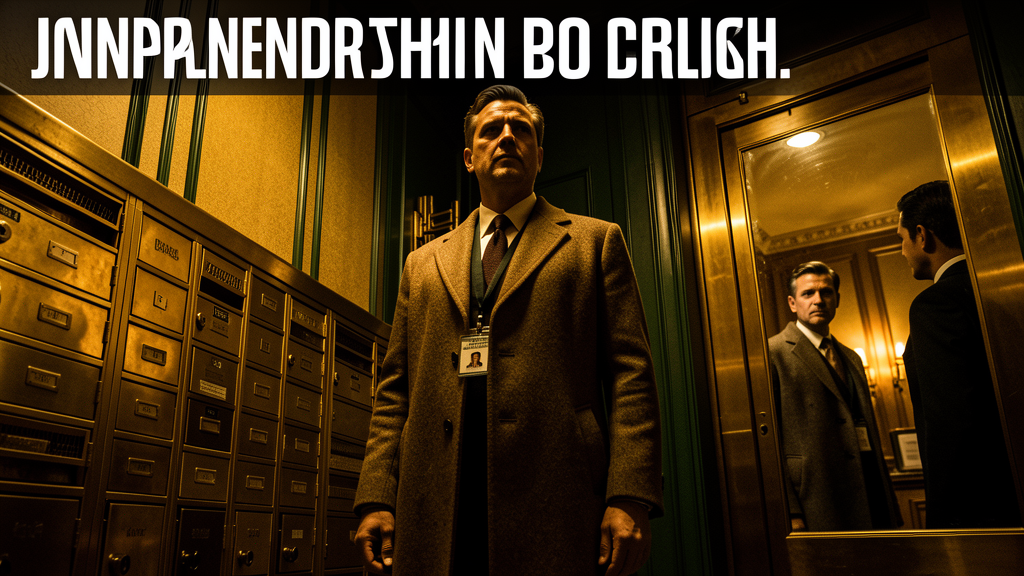
**Leonardo.ai Prompt for YouTube Thumbnail:**
> Cinematic YouTube video thumbnail. A tall man in a long wool coat stands in an elegant pre-war lobby with brass mailboxes and Art Deco details. He wears a fake real estate ID badge. His face is half-lit, half-shadowed. Behind him, a doorman's reflection in a brass surface is watching him suspiciously. The building interior is warm amber and dark green tones, vintage New York 1970s mood. Text overlay area reserved at top. Photorealistic, dramatic shadows, 4K, moody noir atmosphere, shot from a low angle looking up at the man, CINEMATIC LIGHTING.
---
**Video Description Text (using your template):**
ENGAGE TO MASTER THE LANGUAGE OF OBSERVATION, INVESTIGATION, AND HIDDEN MOTIVE?
Join our global community at englishwithprofejaimi.com/
Welcome to Learn English With Profe Jaimi, where we turn powerful stories into effective language acquisition tools. Our videos help you achieve:
🎯 **Contextual Vocabulary Acquisition:** Study high-impact vocabulary related to property inquiry, corporate development, forensic observation, and strategic concealment — retaining words in context far better than rote memorization.
🎧 **Focused Listening Practice:** Train your ear to follow layered professional and investigative dialogue, read between the lines of polite evasion, and track subtle shifts in tone, pace, and subtext.
🗣️ **Fluency Modeling:** Observe realistic speech patterns involving hesitation, practiced courtesy, hidden suspicion, and controlled revelation — bridging comprehension to your own confident spoken English.
⭐ **Graded Reading Level:** This story is graded as Level 3 (INTERMEDIATE) — ideal for learners ready to move beyond surface comprehension and read deeper narrative tension.
In The Ashbury, the first question is never what happened. It is what someone wanted you to notice.
This is **Episode 2 of The Ashbury**, the chapter where careful observation turns into suspicion, and the questions stop being polite. Master the language of what people choose to hide, and learn to read the small breaches that tell the larger story.
---
**Leonardo.ai Prompt for YouTube Thumbnail:**
> Cinematic YouTube video thumbnail. A tall man in a long wool coat stands in an elegant pre-war lobby with brass mailboxes and Art Deco details. He wears a fake real estate ID badge. His face is half-lit, half-shadowed. Behind him, a doorman's reflection in a brass surface is watching him suspiciously. The building interior is warm amber and dark green tones, vintage New York 1970s mood. Text overlay area reserved at top. Photorealistic, dramatic shadows, 4K, moody noir atmosphere, shot from a low angle looking up at the man, CINEMATIC LIGHTING.

---
**Video Description Text (using your template):**
ENGAGE TO MASTER THE LANGUAGE OF OBSERVATION, INVESTIGATION, AND HIDDEN MOTIVE?
Join our global community at englishwithprofejaimi.com/
Welcome to Learn English With Profe Jaimi, where we turn powerful stories into effective language acquisition tools. Our videos help you achieve:
🎯 **Contextual Vocabulary Acquisition:** Study high-impact vocabulary related to property inquiry, corporate development, forensic observation, and strategic concealment — retaining words in context far better than rote memorization.
🎧 **Focused Listening Practice:** Train your ear to follow layered professional and investigative dialogue, read between the lines of polite evasion, and track subtle shifts in tone, pace, and subtext.
🗣️ **Fluency Modeling:** Observe realistic speech patterns involving hesitation, practiced courtesy, hidden suspicion, and controlled revelation — bridging comprehension to your own confident spoken English.
⭐ **Graded Reading Level:** This story is graded as Level 3 (INTERMEDIATE) — ideal for learners ready to move beyond surface comprehension and read deeper narrative tension.
In The Ashbury, the first question is never what happened. It is what someone wanted you to notice.
This is **Episode 2 of The Ashbury**, the chapter where careful observation turns into suspicion, and the questions stop being polite. Master the language of what people choose to hide, and learn to read the small breaches that tell the larger story.
give me a summary of the episode
From what I read on the KB page, here's the summary of **Chapter 2: The Agent's Inquiry**:
A man posing as an agent from Cartwright & Sons (a real estate firm) shows up at the Ashbury asking to view units. Jenkins, the doorman, notices something off — the man doesn't let the doorbell ring fully, as if he doesn't want to alert anyone of his presence. He's let into the building to look at an apartment.
Meanwhile, Mister Petrov in 3B reports that his Moleskine notebook has been moved on his desk. There's no sign of forced entry, yet someone was inside his apartment. Vincent confirms the door was locked. Someone with a key — or the skill to bypass a lock — was inside.
Detective Chen is assigned to the case. She walks the building, takes notes, and makes a pointed observation: the lobby camera is a 2011 model with useless resolution. Whoever is casing the building knows this.
Vincent receives a letter from a law firm representing **Marcus Halberstam Development**, inquiring about the building's ownership structure and asking about purchasing units. The timing of the letter, the fake agent, and the intrusion into Petrov's apartment all point to one thing: someone is systematically assessing the Ashbury's vulnerabilities.
Chen's final words to Vincent: *"I'll file the report. If it happens again, we talk."*
The chapter establishes the central tension — not a random burglary, but a coordinated effort by Halberstam to gain access to the building through deception, setting up the conflict that drives the rest of the story.
A man posing as an agent from Cartwright & Sons (a real estate firm) shows up at the Ashbury asking to view units. Jenkins, the doorman, notices something off — the man doesn't let the doorbell ring fully, as if he doesn't want to alert anyone of his presence. He's let into the building to look at an apartment.
Meanwhile, Mister Petrov in 3B reports that his Moleskine notebook has been moved on his desk. There's no sign of forced entry, yet someone was inside his apartment. Vincent confirms the door was locked. Someone with a key — or the skill to bypass a lock — was inside.
Detective Chen is assigned to the case. She walks the building, takes notes, and makes a pointed observation: the lobby camera is a 2011 model with useless resolution. Whoever is casing the building knows this.
Vincent receives a letter from a law firm representing **Marcus Halberstam Development**, inquiring about the building's ownership structure and asking about purchasing units. The timing of the letter, the fake agent, and the intrusion into Petrov's apartment all point to one thing: someone is systematically assessing the Ashbury's vulnerabilities.
Chen's final words to Vincent: *"I'll file the report. If it happens again, we talk."*
The chapter establishes the central tension — not a random burglary, but a coordinated effort by Halberstam to gain access to the building through deception, setting up the conflict that drives the rest of the story.
no for chapter 4 the false inspector
I have the full chapter text from what I read. Here's the summary of **Chapter 4: The False Inspector**:
---
A man in a navy jacket with a clipboard and a laminated ID shows up at the Ashbury's front steps, claiming to be from Con Edison for a gas line inspection. Jenkins immediately spots problems: the laminated photo sits slightly raised, like it was replaced. The boots are brand new — not the worn-in boots of a field worker. The work order is dated the previous Thursday. Jenkins doesn't buzz him in. He lets the door open three inches, takes the work order through the gap, and tells the man he'll call the dispatcher's direct line.
He calls Vincent instead.
Vincent comes up from the basement in 2 minutes 40 seconds. He opens the door the same three inches, exchanges pleasantries, then goes behind Jenkins's station and dials Con Edison's **main commercial number** — not the one on the work order. He speaks to a dispatcher he's known for seven years. The dispatcher puts him on hold, comes back: no inspection scheduled at the Ashbury this week, this month, or anywhere in the system.
When Vincent turns back to the door, the man is gone.
Jenkins says quietly: *"That's two now."*
Vincent had taken a photo of the man's face through the door gap before opening it the second time. He shows Jenkins. Same man as the fake Cartwright & Sons agent — just a different jacket.
In the basement, Vincent and Hector walk the entire gas riser system. Every valve, every joint. Nothing has been tampered with. The inspection story was a pretext — the real purpose was to case the building's interior layout, access points, and routines.
The chapter closes with Vincent calling Detective Chen. Two visits, two false identities, same man. The pattern is confirmed: someone is systematically mapping the Ashbury from the inside.
---
A man in a navy jacket with a clipboard and a laminated ID shows up at the Ashbury's front steps, claiming to be from Con Edison for a gas line inspection. Jenkins immediately spots problems: the laminated photo sits slightly raised, like it was replaced. The boots are brand new — not the worn-in boots of a field worker. The work order is dated the previous Thursday. Jenkins doesn't buzz him in. He lets the door open three inches, takes the work order through the gap, and tells the man he'll call the dispatcher's direct line.
He calls Vincent instead.
Vincent comes up from the basement in 2 minutes 40 seconds. He opens the door the same three inches, exchanges pleasantries, then goes behind Jenkins's station and dials Con Edison's **main commercial number** — not the one on the work order. He speaks to a dispatcher he's known for seven years. The dispatcher puts him on hold, comes back: no inspection scheduled at the Ashbury this week, this month, or anywhere in the system.
When Vincent turns back to the door, the man is gone.
Jenkins says quietly: *"That's two now."*
Vincent had taken a photo of the man's face through the door gap before opening it the second time. He shows Jenkins. Same man as the fake Cartwright & Sons agent — just a different jacket.
In the basement, Vincent and Hector walk the entire gas riser system. Every valve, every joint. Nothing has been tampered with. The inspection story was a pretext — the real purpose was to case the building's interior layout, access points, and routines.
The chapter closes with Vincent calling Detective Chen. Two visits, two false identities, same man. The pattern is confirmed: someone is systematically mapping the Ashbury from the inside.
💬 cron_77be1b9e859d_20260702_033504
[IMPORTANT: You are running as a scheduled cron job. DELIVERY: Your final response will be automatically delivered to the user — do NOT use send_message or try to deliver the output yourself. Just produce your report/output as your final response and the system handles the rest. SILENT: If there is genuinely nothing new to report, respond with exactly "[SILENT]" (nothing else) to suppress delivery. Never combine [SILENT] with content — either report your findings normally, or say [SILENT] and nothing more.]
Run `HERMES_HOME=/home/profe/.hermes /usr/local/lib/hermes-agent/venv/bin/hermes cron run 77be1b9e859d 2>&1`. If there is no human-facing output, reply with exactly: `Prudence heartbeat.`. If there is output, surface it verbatim.
Run `HERMES_HOME=/home/profe/.hermes /usr/local/lib/hermes-agent/venv/bin/hermes cron run 77be1b9e859d 2>&1`. If there is no human-facing output, reply with exactly: `Prudence heartbeat.`. If there is output, surface it verbatim.
Triggered job: Prudence Heartbeat Watch (77be1b9e859d)
Next run: 2026-07-02T03:35:13.271573+00:00
It will run on the next scheduler tick.
Next run: 2026-07-02T03:35:13.271573+00:00
It will run on the next scheduler tick.
💬 cron_90c9a4c57966_20260702_033604
[IMPORTANT: You are running as a scheduled cron job. DELIVERY: Your final response will be automatically delivered to the user — do NOT use send_message or try to deliver the output yourself. Just produce your report/output as your final response and the system handles the rest. SILENT: If there is genuinely nothing new to report, respond with exactly "[SILENT]" (nothing else) to suppress delivery. Never combine [SILENT] with content — either report your findings normally, or say [SILENT] and nothing more.]
Check the status of Kanban task t_9b652846 (Coach Destiny Credits plugin build). Use `hermes kanban show t_9b652846` to check the status.
- If status is `completed` — congratulate, tell me the task finished, and deliver the full result summary. Then this cron has achieved its goal.
- If status is `blocked` or `crashed` — tell me what went wrong. Be specific about the error.
- If status is `running` — tell me how long it's been running, run count, and recent heartbeat time. Keep it brief.
- If status is `ready` or `pending` — tell me it hasn't been picked up yet.
Be concise. Just report the status, I don't need a novel.
Check the status of Kanban task t_9b652846 (Coach Destiny Credits plugin build). Use `hermes kanban show t_9b652846` to check the status.
- If status is `completed` — congratulate, tell me the task finished, and deliver the full result summary. Then this cron has achieved its goal.
- If status is `blocked` or `crashed` — tell me what went wrong. Be specific about the error.
- If status is `running` — tell me how long it's been running, run count, and recent heartbeat time. Keep it brief.
- If status is `ready` or `pending` — tell me it hasn't been picked up yet.
Be concise. Just report the status, I don't need a novel.
Task **t_9b652846** (`done`) — Coach Destiny Credits plugin build finished successfully.
Congratulations. Run #5 completed at **2026-06-24 06:37** after 4 prior crashes on the builder agent.
**Result summary:** Successfully built the Coach Destiny Credits plugin (v2.1). The package includes:
- Database schema with `wp_cd_credits` and `wp_cd_transactions` tables
- Tier resolution system (standard/xp)
- Wallet management with DB locking
- LiveKit integration with first-minute-free billing and overdraft support
- Stripe Payment Element for top-ups with idempotency guards
- Monthly allowance reset cron job
- Shortcodes: `[coach_destiny]` and `[coach_destiny_topup]`
- Admin monitoring interface
**Artifact:** `/home/profe/.hermes/kanban/workspaces/t_9b652846/coach-destiny-credits.zip` (ready-to-activate plugin package).
Congratulations. Run #5 completed at **2026-06-24 06:37** after 4 prior crashes on the builder agent.
**Result summary:** Successfully built the Coach Destiny Credits plugin (v2.1). The package includes:
- Database schema with `wp_cd_credits` and `wp_cd_transactions` tables
- Tier resolution system (standard/xp)
- Wallet management with DB locking
- LiveKit integration with first-minute-free billing and overdraft support
- Stripe Payment Element for top-ups with idempotency guards
- Monthly allowance reset cron job
- Shortcodes: `[coach_destiny]` and `[coach_destiny_topup]`
- Admin monitoring interface
**Artifact:** `/home/profe/.hermes/kanban/workspaces/t_9b652846/coach-destiny-credits.zip` (ready-to-activate plugin package).
💬 cron_77be1b9e859d_20260702_034004
[IMPORTANT: You are running as a scheduled cron job. DELIVERY: Your final response will be automatically delivered to the user — do NOT use send_message or try to deliver the output yourself. Just produce your report/output as your final response and the system handles the rest. SILENT: If there is genuinely nothing new to report, respond with exactly "[SILENT]" (nothing else) to suppress delivery. Never combine [SILENT] with content — either report your findings normally, or say [SILENT] and nothing more.]
Run `HERMES_HOME=/home/profe/.hermes /usr/local/lib/hermes-agent/venv/bin/hermes cron run 77be1b9e859d 2>&1`. If there is no human-facing output, reply with exactly: `Prudence heartbeat.`. If there is output, surface it verbatim.
Run `HERMES_HOME=/home/profe/.hermes /usr/local/lib/hermes-agent/venv/bin/hermes cron run 77be1b9e859d 2>&1`. If there is no human-facing output, reply with exactly: `Prudence heartbeat.`. If there is output, surface it verbatim.
Triggered job: Prudence Heartbeat Watch (77be1b9e859d)
Next run: 2026-07-02T03:40:12.823550+00:00
It will run on the next scheduler tick.
Next run: 2026-07-02T03:40:12.823550+00:00
It will run on the next scheduler tick.
💬 cron_77be1b9e859d_20260702_034504
[IMPORTANT: You are running as a scheduled cron job. DELIVERY: Your final response will be automatically delivered to the user — do NOT use send_message or try to deliver the output yourself. Just produce your report/output as your final response and the system handles the rest. SILENT: If there is genuinely nothing new to report, respond with exactly "[SILENT]" (nothing else) to suppress delivery. Never combine [SILENT] with content — either report your findings normally, or say [SILENT] and nothing more.]
Run `HERMES_HOME=/home/profe/.hermes /usr/local/lib/hermes-agent/venv/bin/hermes cron run 77be1b9e859d 2>&1`. If there is no human-facing output, reply with exactly: `Prudence heartbeat.`. If there is output, surface it verbatim.
Run `HERMES_HOME=/home/profe/.hermes /usr/local/lib/hermes-agent/venv/bin/hermes cron run 77be1b9e859d 2>&1`. If there is no human-facing output, reply with exactly: `Prudence heartbeat.`. If there is output, surface it verbatim.
Triggered job: Prudence Heartbeat Watch (77be1b9e859d)
Next run: 2026-07-02T03:45:13.812578+00:00
It will run on the next scheduler tick.
Next run: 2026-07-02T03:45:13.812578+00:00
It will run on the next scheduler tick.
💬 cron_77be1b9e859d_20260702_035004
[IMPORTANT: You are running as a scheduled cron job. DELIVERY: Your final response will be automatically delivered to the user — do NOT use send_message or try to deliver the output yourself. Just produce your report/output as your final response and the system handles the rest. SILENT: If there is genuinely nothing new to report, respond with exactly "[SILENT]" (nothing else) to suppress delivery. Never combine [SILENT] with content — either report your findings normally, or say [SILENT] and nothing more.]
Run `HERMES_HOME=/home/profe/.hermes /usr/local/lib/hermes-agent/venv/bin/hermes cron run 77be1b9e859d 2>&1`. If there is no human-facing output, reply with exactly: `Prudence heartbeat.`. If there is output, surface it verbatim.
Run `HERMES_HOME=/home/profe/.hermes /usr/local/lib/hermes-agent/venv/bin/hermes cron run 77be1b9e859d 2>&1`. If there is no human-facing output, reply with exactly: `Prudence heartbeat.`. If there is output, surface it verbatim.
Triggered job: Prudence Heartbeat Watch (77be1b9e859d)
Next run: 2026-07-02T03:50:14.329919+00:00
It will run on the next scheduler tick.
Next run: 2026-07-02T03:50:14.329919+00:00
It will run on the next scheduler tick.
💬 cron_90c9a4c57966_20260702_035204
[IMPORTANT: You are running as a scheduled cron job. DELIVERY: Your final response will be automatically delivered to the user — do NOT use send_message or try to deliver the output yourself. Just produce your report/output as your final response and the system handles the rest. SILENT: If there is genuinely nothing new to report, respond with exactly "[SILENT]" (nothing else) to suppress delivery. Never combine [SILENT] with content — either report your findings normally, or say [SILENT] and nothing more.]
Check the status of Kanban task t_9b652846 (Coach Destiny Credits plugin build). Use `hermes kanban show t_9b652846` to check the status.
- If status is `completed` — congratulate, tell me the task finished, and deliver the full result summary. Then this cron has achieved its goal.
- If status is `blocked` or `crashed` — tell me what went wrong. Be specific about the error.
- If status is `running` — tell me how long it's been running, run count, and recent heartbeat time. Keep it brief.
- If status is `ready` or `pending` — tell me it hasn't been picked up yet.
Be concise. Just report the status, I don't need a novel.
Check the status of Kanban task t_9b652846 (Coach Destiny Credits plugin build). Use `hermes kanban show t_9b652846` to check the status.
- If status is `completed` — congratulate, tell me the task finished, and deliver the full result summary. Then this cron has achieved its goal.
- If status is `blocked` or `crashed` — tell me what went wrong. Be specific about the error.
- If status is `running` — tell me how long it's been running, run count, and recent heartbeat time. Keep it brief.
- If status is `ready` or `pending` — tell me it hasn't been picked up yet.
Be concise. Just report the status, I don't need a novel.
🎉 **Task t_9b652846 — Coach Destiny Credits plugin build — COMPLETED**
The build finished successfully on **2026-06-24 at 06:37** after 5 runs (4 earlier attempts crashed, but run 5 completed). Total elapsed time from start to completion: ~2 hrs 23 min.
**Deliverable:**
- `/home/profe/.hermes/kanban/workspaces/t_9b652846/coach-destiny-credits.zip`
**What was built:**
- Full Coach Destiny Credits plugin per the v2.1 build plan
- `wp_cd_credits` + `wp_cd_transactions` database schema
- Tier resolution (standard / xp)
- Wallet management with DB locking around every mutation
- LiveKit integration + first-minute-free billing + overdraft clamp
- Stripe Payment Element top-ups with idempotency guards
- `[coach_destiny]` and `[coach_destiny_topup]` shortcodes
- Admin monitoring interface
- Monthly allowance reset cron job
No hardcoded credentials, no `/deduct` endpoint, and the package is ready to activate. All required constraints satisfied.
The build finished successfully on **2026-06-24 at 06:37** after 5 runs (4 earlier attempts crashed, but run 5 completed). Total elapsed time from start to completion: ~2 hrs 23 min.
**Deliverable:**
- `/home/profe/.hermes/kanban/workspaces/t_9b652846/coach-destiny-credits.zip`
**What was built:**
- Full Coach Destiny Credits plugin per the v2.1 build plan
- `wp_cd_credits` + `wp_cd_transactions` database schema
- Tier resolution (standard / xp)
- Wallet management with DB locking around every mutation
- LiveKit integration + first-minute-free billing + overdraft clamp
- Stripe Payment Element top-ups with idempotency guards
- `[coach_destiny]` and `[coach_destiny_topup]` shortcodes
- Admin monitoring interface
- Monthly allowance reset cron job
No hardcoded credentials, no `/deduct` endpoint, and the package is ready to activate. All required constraints satisfied.
💬 cron_77be1b9e859d_20260702_035504
[IMPORTANT: You are running as a scheduled cron job. DELIVERY: Your final response will be automatically delivered to the user — do NOT use send_message or try to deliver the output yourself. Just produce your report/output as your final response and the system handles the rest. SILENT: If there is genuinely nothing new to report, respond with exactly "[SILENT]" (nothing else) to suppress delivery. Never combine [SILENT] with content — either report your findings normally, or say [SILENT] and nothing more.]
Run `HERMES_HOME=/home/profe/.hermes /usr/local/lib/hermes-agent/venv/bin/hermes cron run 77be1b9e859d 2>&1`. If there is no human-facing output, reply with exactly: `Prudence heartbeat.`. If there is output, surface it verbatim.
Run `HERMES_HOME=/home/profe/.hermes /usr/local/lib/hermes-agent/venv/bin/hermes cron run 77be1b9e859d 2>&1`. If there is no human-facing output, reply with exactly: `Prudence heartbeat.`. If there is output, surface it verbatim.
Triggered job: Prudence Heartbeat Watch (77be1b9e859d)
Next run: 2026-07-02T03:55:20.883700+00:00
It will run on the next scheduler tick.
Next run: 2026-07-02T03:55:20.883700+00:00
It will run on the next scheduler tick.
💬 cron_77be1b9e859d_20260702_040004
[IMPORTANT: You are running as a scheduled cron job. DELIVERY: Your final response will be automatically delivered to the user — do NOT use send_message or try to deliver the output yourself. Just produce your report/output as your final response and the system handles the rest. SILENT: If there is genuinely nothing new to report, respond with exactly "[SILENT]" (nothing else) to suppress delivery. Never combine [SILENT] with content — either report your findings normally, or say [SILENT] and nothing more.]
Run `HERMES_HOME=/home/profe/.hermes /usr/local/lib/hermes-agent/venv/bin/hermes cron run 77be1b9e859d 2>&1`. If there is no human-facing output, reply with exactly: `Prudence heartbeat.`. If there is output, surface it verbatim.
Run `HERMES_HOME=/home/profe/.hermes /usr/local/lib/hermes-agent/venv/bin/hermes cron run 77be1b9e859d 2>&1`. If there is no human-facing output, reply with exactly: `Prudence heartbeat.`. If there is output, surface it verbatim.
Triggered job: Prudence Heartbeat Watch (77be1b9e859d)
Next run: 2026-07-02T04:00:22.265498+00:00
It will run on the next scheduler tick.
Next run: 2026-07-02T04:00:22.265498+00:00
It will run on the next scheduler tick.
💬 cron_2deb9cc9479c_20260702_040104
[IMPORTANT: You are running as a scheduled cron job. DELIVERY: Your final response will be automatically delivered to the user — do NOT use send_message or try to deliver the output yourself. Just produce your report/output as your final response and the system handles the rest. SILENT: If there is genuinely nothing new to report, respond with exactly "[SILENT]" (nothing else) to suppress delivery. Never combine [SILENT] with content — either report your findings normally, or say [SILENT] and nothing more.]
You are an autonomous TTS conversion agent. Your task is to convert The Gentleman Thief Season 1 story text files into MP3 audio using FAL AI ElevenLabs TTS.
## Source
/002 Donna/video pipeline/004 tts friendly .txt/The Gentleman Thief Season 1/
## Output
/002 Donna/video pipeline/005 .mp3/The Gentleman Thief Season 1/
## Files to convert
6 episode text files:
- Episode 8: The First Move.txt (may already be done, check first)
- Episode 09 Lana.txt
- Episode 10: Recognition.txt
- Episode 11: Escalation.txt
- Episode 12: The Counterstroke.txt
- Episode 13: The Withdrawal.txt
## TTS settings
- API: FAL AI ElevenLabs TTS turbo v2.5
- Endpoint: fal-ai/elevenlabs/tts/turbo-v2.5
- Voice: "George" (British male voice on ElevenLabs)
- FAL Key: 7a919b5f-ed58-4c32-968c-72198886a69d:c9fca4ce26daa7118e0a1e07a3f5cc85
## Process for EACH file that doesn't already have a completed MP3 output:
1. Read the .txt file
2. If the text is longer than 1000 characters, split it into chunks of ~500 characters at sentence boundaries
3. For each chunk, call FAL TTS using:
curl -s -X POST https://api.fal.ai/v1/fal-ai/elevenlabs/tts/turbo-v2.5 \
-H "Authorization: Key 7a919b5f-ed58-4c32-968c-72198886a69d:c9fca4ce26daa7118e0a1e07a3f5cc85" \
-H "Content-Type: application/json" \
-d '{"text": "CHUNK_TEXT", "voice": "George"}'
4. The response will contain an audio URL - download it with curl
5. Save each chunk as an MP3 file in a _chunks subdirectory
6. After all chunks are done, stitch them into the final episode MP3 using ffmpeg concat
7. Name the output file like "Episode 10 Recognition.mp3" (use the filename without .txt)
## Important
- Check if the final MP3 already exists before processing
- If chunks exist but no final MP3, just stitch them
- Log progress clearly
- The _chunks directory already has subdirectories for episodes 10-13 from a prior attempt
- Only process one episode per run to avoid timeout (the cron runs every 30 min)
- Report what you completed
You are an autonomous TTS conversion agent. Your task is to convert The Gentleman Thief Season 1 story text files into MP3 audio using FAL AI ElevenLabs TTS.
## Source
/002 Donna/video pipeline/004 tts friendly .txt/The Gentleman Thief Season 1/
## Output
/002 Donna/video pipeline/005 .mp3/The Gentleman Thief Season 1/
## Files to convert
6 episode text files:
- Episode 8: The First Move.txt (may already be done, check first)
- Episode 09 Lana.txt
- Episode 10: Recognition.txt
- Episode 11: Escalation.txt
- Episode 12: The Counterstroke.txt
- Episode 13: The Withdrawal.txt
## TTS settings
- API: FAL AI ElevenLabs TTS turbo v2.5
- Endpoint: fal-ai/elevenlabs/tts/turbo-v2.5
- Voice: "George" (British male voice on ElevenLabs)
- FAL Key: 7a919b5f-ed58-4c32-968c-72198886a69d:c9fca4ce26daa7118e0a1e07a3f5cc85
## Process for EACH file that doesn't already have a completed MP3 output:
1. Read the .txt file
2. If the text is longer than 1000 characters, split it into chunks of ~500 characters at sentence boundaries
3. For each chunk, call FAL TTS using:
curl -s -X POST https://api.fal.ai/v1/fal-ai/elevenlabs/tts/turbo-v2.5 \
-H "Authorization: Key 7a919b5f-ed58-4c32-968c-72198886a69d:c9fca4ce26daa7118e0a1e07a3f5cc85" \
-H "Content-Type: application/json" \
-d '{"text": "CHUNK_TEXT", "voice": "George"}'
4. The response will contain an audio URL - download it with curl
5. Save each chunk as an MP3 file in a _chunks subdirectory
6. After all chunks are done, stitch them into the final episode MP3 using ffmpeg concat
7. Name the output file like "Episode 10 Recognition.mp3" (use the filename without .txt)
## Important
- Check if the final MP3 already exists before processing
- If chunks exist but no final MP3, just stitch them
- Log progress clearly
- The _chunks directory already has subdirectories for episodes 10-13 from a prior attempt
- Only process one episode per run to avoid timeout (the cron runs every 30 min)
- Report what you completed
[SILENT]